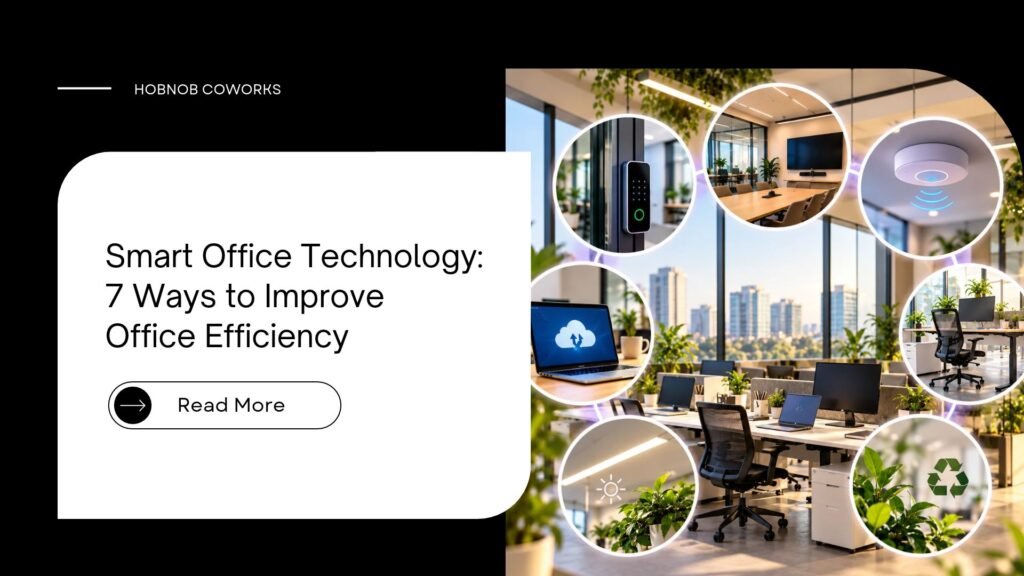
Smart Office Technology: 7 Ways to Improve Office Efficiency
Smart office technology means using connected tools, such as cloud software, smart booking, automation, fast Wi-Fi and energy-saving devices, to cut wasted time at work. When a team uses smart office technology the right way, people spend less time on small, boring tasks and more time on real work. You can start with just two or three tools and see results within weeks. Why Does Your Office Still Feel So Slow? Let’s be honest. Most of us have lived this day. The Wi-Fi drops during a client call. Someone books the meeting room, but another team is already sitting in it. A file goes missing, and three people spend an hour looking for the “final_v2_latest” version. It looks like a small problem. But these little delays add up. They drain energy, hurt your team’s mood, and can even cost you clients. The good news? You don’t need a big budget or a tech degree to fix this. Smart tools can start small, and it works for a 3-person startup just as well as a 50-person company. In this guide, we explain it in simple words, with practical examples you can try this week. Key Takeaways A smart workplace uses simple digital tools to save time, money and effort. You can improve office efficiency without buying expensive machines. The biggest wins usually come from internet, cloud tools, booking systems and automation. A coworking space already gives you many of these basics, so you can skip the heavy setup. Start with one problem, fix it, then move to the next. What Is Smart Office Technology? In simple words, smart office technology is any digital tool or connected device that makes your workplace easier to run. It can be a software app, a smart sensor, or a well-planned system that handles repeat work for you. You may also hear people call it a “smart workplace”, “digital workspace” or “connected office”. The names are different, but the goal is the same: less hassle, more focus. Here are some common examples: Cloud-based tools like shared drives and project boards Smart booking systems for desks and meeting rooms Office automation like auto-invoices, auto-reminders and auto-replies IoT devices such as smart lights, sensors and smart AC controls Video conferencing setups for hybrid work and remote collaboration Access control and security tools like digital entry and Wi-Fi protection Why Smart Office Technology Matters in 2026 Work has changed. Many teams in India now follow hybrid work, hire freelancers, or work with clients in other cities and countries. Old ways of working, like paper files, endless WhatsApp groups and manual follow-ups, cannot keep up. Here are a few simple, well-known facts to keep in mind: Research on workplace focus often shows that it can take around 20 minutes or more to fully get back into deep work after an interruption. Employees regularly switch between many apps in a single day, and every switch breaks concentration. Offices use a lot of electricity for lighting and cooling, so even small smart controls can reduce bills over time. So the point is not to buy fancy gadgets. The point is to remove friction from the work your team already does. That is what real workplace productivity looks like. 7 Ways to Improve Office Efficiency With Smart Tools 1. Start With Fast and Reliable Internet This sounds basic, but it is the base of everything. Cloud apps, video calls and online payments all depend on it. What to do: Choose a business-grade connection, not a home plan. Keep a backup line if your work depends on live calls or client demos. Place Wi-Fi routers in the middle of the space, not in a corner. Practical example: Picture a small design team where the Wi-Fi router sits in a far corner. Large file uploads crawl and video calls freeze. Moving the router to a central spot and adding a backup line is a low-cost fix that often removes most of these problems. 2. Move Your Work to Cloud-Based Tools When files live on one person’s laptop, work stops when that person is absent. Cloud-based tools fix this. Use shared drives so everyone sees the latest version. Use a project board to track who is doing what, and by when. Keep one single place for client details, not five different sheets. This one change alone can end the “which file is final?” confusion. 3. Use Smart Booking for Desks and Meeting Rooms Space problems are a silent time-killer. People wander around looking for a seat, or two teams fight over one room. A simple booking system shows what is free, what is taken and for how long. That is why many modern offices, including a good coworking space, use digital booking for open desk seats, meeting rooms and private cabins. It may look like a small feature. But when you add up the saved minutes across a month, smart office technology like this pays for itself. 4. Automate Boring, Repeat Tasks If you do the same task more than three times a week, ask yourself: can a tool do this? Good tasks for office automation: Sending invoice reminders Replying to common customer questions Moving leads from a form into your CRM Sharing weekly reports with the team You don’t need coding for this. Many no-code tools let you connect apps in a few clicks. Start with one task, test it for a week, then add more. 5. Make Lights and Cooling Smarter An energy-saving office is also a more comfortable office. Smart sensors can switch off lights in empty rooms. Timers and smart plugs stop machines from running all night. In a hot city like Jaipur, cooling is a big part of the monthly bill. Even simple steps, like setting AC timers and using LED lights, can make a visible difference. A smart layout helps too, so see these workspace design trends for modern offices. 6. Set Up Your Space for Hybrid Work and Video Calls A meeting where half the team is on