
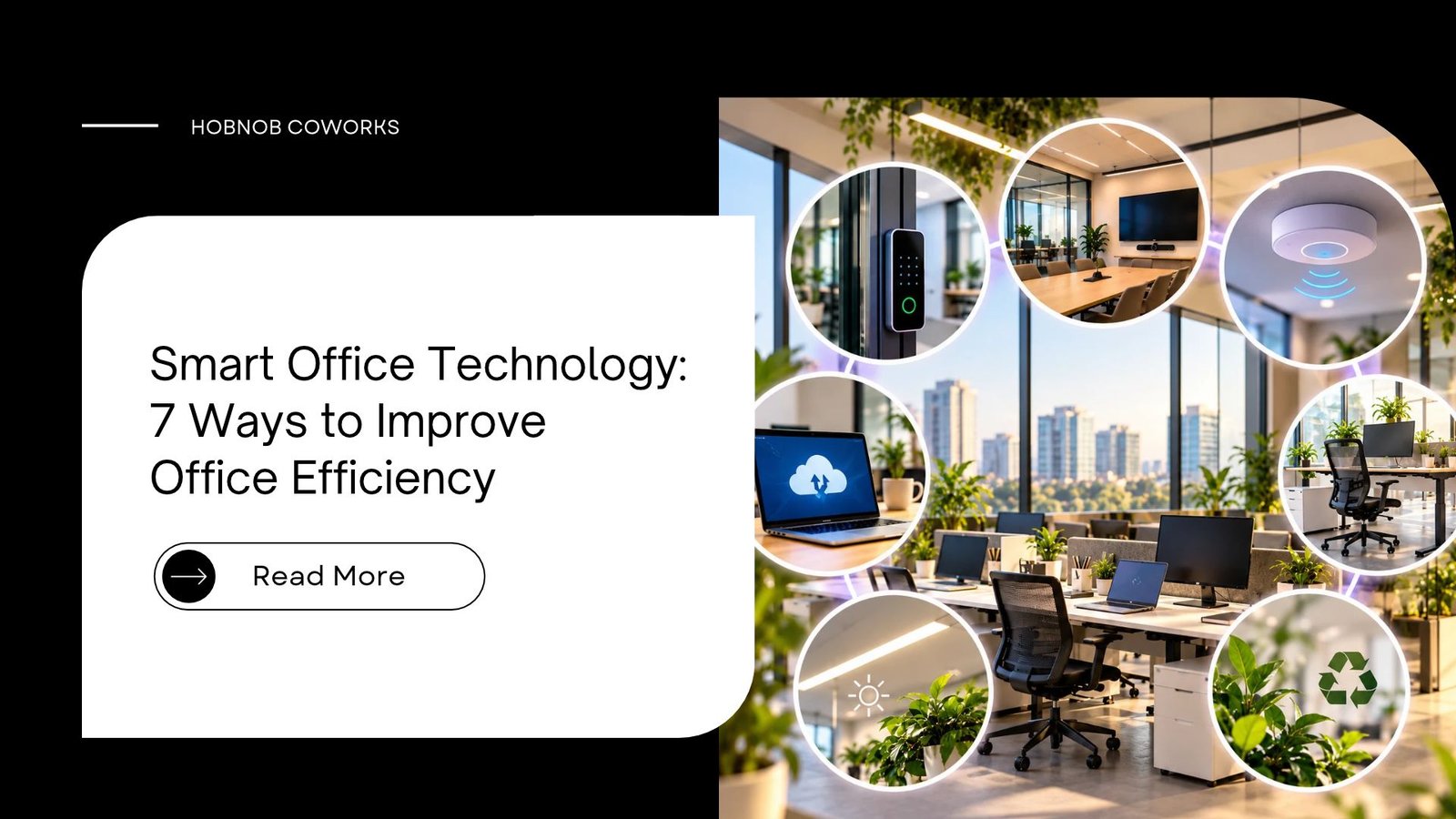
Smart office technology means using connected tools, such as cloud software, smart booking, automation, fast Wi-Fi and energy-saving devices, to cut wasted time at work. When a team uses smart office technology the right way, people spend less time on small, boring tasks and more time on real work. You can start with just two or three tools and see results within weeks.
Why Does Your Office Still Feel So Slow?
Let’s be honest. Most of us have lived this day.
The Wi-Fi drops during a client call. Someone books the meeting room, but another team is already sitting in it. A file goes missing, and three people spend an hour looking for the “final_v2_latest” version.
It looks like a small problem. But these little delays add up. They drain energy, hurt your team’s mood, and can even cost you clients.
The good news? You don’t need a big budget or a tech degree to fix this. Smart tools can start small, and it works for a 3-person startup just as well as a 50-person company. In this guide, we explain it in simple words, with practical examples you can try this week.
Key Takeaways
- A smart workplace uses simple digital tools to save time, money and effort.
- You can improve office efficiency without buying expensive machines.
- The biggest wins usually come from internet, cloud tools, booking systems and automation.
- A coworking space already gives you many of these basics, so you can skip the heavy setup.
- Start with one problem, fix it, then move to the next.
What Is Smart Office Technology?
In simple words, smart office technology is any digital tool or connected device that makes your workplace easier to run. It can be a software app, a smart sensor, or a well-planned system that handles repeat work for you.
You may also hear people call it a “smart workplace”, “digital workspace” or “connected office”. The names are different, but the goal is the same: less hassle, more focus.
Here are some common examples:
- Cloud-based tools like shared drives and project boards
- Smart booking systems for desks and meeting rooms
- Office automation like auto-invoices, auto-reminders and auto-replies
- IoT devices such as smart lights, sensors and smart AC controls
- Video conferencing setups for hybrid work and remote collaboration
- Access control and security tools like digital entry and Wi-Fi protection
Why Smart Office Technology Matters in 2026
Work has changed. Many teams in India now follow hybrid work, hire freelancers, or work with clients in other cities and countries. Old ways of working, like paper files, endless WhatsApp groups and manual follow-ups, cannot keep up.
Here are a few simple, well-known facts to keep in mind:
- Research on workplace focus often shows that it can take around 20 minutes or more to fully get back into deep work after an interruption.
- Employees regularly switch between many apps in a single day, and every switch breaks concentration.
- Offices use a lot of electricity for lighting and cooling, so even small smart controls can reduce bills over time.
So the point is not to buy fancy gadgets. The point is to remove friction from the work your team already does. That is what real workplace productivity looks like.
7 Ways to Improve Office Efficiency With Smart Tools
1. Start With Fast and Reliable Internet
This sounds basic, but it is the base of everything. Cloud apps, video calls and online payments all depend on it.
What to do:
- Choose a business-grade connection, not a home plan.
- Keep a backup line if your work depends on live calls or client demos.
- Place Wi-Fi routers in the middle of the space, not in a corner.
Practical example: Picture a small design team where the Wi-Fi router sits in a far corner. Large file uploads crawl and video calls freeze. Moving the router to a central spot and adding a backup line is a low-cost fix that often removes most of these problems.
2. Move Your Work to Cloud-Based Tools
When files live on one person’s laptop, work stops when that person is absent. Cloud-based tools fix this.
- Use shared drives so everyone sees the latest version.
- Use a project board to track who is doing what, and by when.
- Keep one single place for client details, not five different sheets.
This one change alone can end the “which file is final?” confusion.
3. Use Smart Booking for Desks and Meeting Rooms
Space problems are a silent time-killer. People wander around looking for a seat, or two teams fight over one room.
A simple booking system shows what is free, what is taken and for how long. That is why many modern offices, including a good coworking space, use digital booking for open desk seats, meeting rooms and private cabins.
It may look like a small feature. But when you add up the saved minutes across a month, smart office technology like this pays for itself.
4. Automate Boring, Repeat Tasks
If you do the same task more than three times a week, ask yourself: can a tool do this?
Good tasks for office automation:
- Sending invoice reminders
- Replying to common customer questions
- Moving leads from a form into your CRM
- Sharing weekly reports with the team
You don’t need coding for this. Many no-code tools let you connect apps in a few clicks. Start with one task, test it for a week, then add more.
5. Make Lights and Cooling Smarter
An energy-saving office is also a more comfortable office. Smart sensors can switch off lights in empty rooms. Timers and smart plugs stop machines from running all night.
In a hot city like Jaipur, cooling is a big part of the monthly bill. Even simple steps, like setting AC timers and using LED lights, can make a visible difference. A smart layout helps too, so see these workspace design trends for modern offices.
6. Set Up Your Space for Hybrid Work and Video Calls
A meeting where half the team is on screen and the other half is in the room often goes wrong. Voices get lost, and remote people feel ignored.
Fix it with basics:
- A good webcam and a clear microphone
- A quiet room or private cabin for important calls
- A shared screen or digital whiteboard
- Meeting notes saved in one shared place
Good remote collaboration is less about big gadgets and more about making every voice clear.
7. Protect Your Work With Smart Security
More tools also mean more risk. A smart workplace must be a safe one too.
- Use strong passwords and two-step login on every work account.
- Give access only to the people who need it.
- Keep software updated.
- Use digital or card-based entry so you know who comes in and goes out.
Trust is a big part of any business. Clients feel safer when your data is handled with care.
Step-by-Step: How to Set Up Smart Office Technology
Feeling overwhelmed? Here is a simple process that works for most teams.
- Find your biggest pain point. Ask your team: what wastes the most time every week?
- Write it down in one line. For example: “We lose 5 hours a week searching for files.”
- Pick one tool for that problem. Don’t buy five tools at once.
- Run a 2-week trial. Let 3 to 5 people test it and share honest feedback.
- Train the team. Even a 30-minute walk-through avoids confusion later.
- Measure the result. Check time saved, errors reduced or money saved.
- Repeat. Move to the next problem only when the first one is solved.
Pro tip: If setting up everything yourself feels heavy, a ready-to-use coworking space can give you fast internet, power backup, meeting rooms and a professional setup from day one. Not sure about the commitment? Read Day Pass vs Monthly Coworking.
Traditional Office vs Smart Office vs Coworking: Quick Comparison
| Feature | Traditional Office | Self-Managed Smart Office | Coworking Space |
| Setup time | Long | Medium to long | Very short |
| Upfront cost | High | High | Low |
| Internet and power backup | You manage it | You manage it | Usually included |
| Flexibility to grow or shrink | Low | Medium | High |
| Meeting rooms | Limited | Depends on your space | Bookable when needed |
| Maintenance and IT work | Your team | Your team or paid vendor | Handled by the space |
| Best for | Large, stable companies | Mid-size teams with an IT budget | Startups, freelancers, growing teams |
Want a full cost comparison? Read our guide on Coworking Space vs Office Rent: Key Differences.
Smart Office Technology in a Coworking Space in Jaipur
Jaipur’s business scene is growing fast. Startups, agencies, CAs, developers, freelancers and remote teams are all looking for flexible, professional places to work.
This is where a coworking space in Jaipur can help. Instead of spending months and lakhs on setting up smart office technology on your own, you can move into a space that already has the basics ready. Before you pick one, use our coworking space checklist of 10 things to ask.
At Hobnob Coworks, teams can choose the setup that suits their size and budget:
- Open desk: A flexible seat in a shared space, good for freelancers and remote workers.
- Private cabin: Fully furnished, AC-enabled and secure, ideal for small teams that need focus.
- Cabin with boss cabin: At Sumer Nagar, Mansarovar, a 10-seater cabin comes with a separate boss cabin for founders and leaders.
- Dedicated desk: Your own desk in a shared space, so your setup stays the same every day.
- Meeting room: A professional room with a whiteboard and screen for client meetings and brainstorming.
- Day pass and virtual office: For short-term work or when you only need a business address.
Hobnob Coworks has six branches across Jaipur: Riviera Manhattan, Jagatpura, Sumer Nagar, Mansarovar, Swarn Path, Mansarovar, Vaishali Nagar, Shipra Path, Mansarovar and Varun Path, Mansarovar.
Members get high-speed Wi-Fi, ergonomic workstations, unlimited tea and coffee, meeting rooms and printer access. Most plans include 24×7 access. Prices start from ₹3,499 per month at Riviera Manhattan, Jagatpura, so check the website for the latest rates before you book.
Common Mistakes to Avoid
Even good tools fail when used the wrong way. Watch out for these:
- Buying too many tools at once. Your team will feel lost.
- Ignoring training. A tool nobody understands is just money wasted.
- Skipping security. One weak password can cause a big problem.
- Chasing trends. If it doesn’t solve a real problem, you don’t need it.
- Forgetting people. Smart tools support your team. They don’t replace good communication.
Frequently Asked Questions (FAQs)
1. What is smart office technology?
Smart office technology is the use of digital tools, software and connected devices to make daily office work faster, easier and safer. Examples include cloud storage, smart booking, automation tools, smart lights and secure digital access.
2. How does a smart workplace improve office efficiency?
It removes wasted time. People don’t search for files, wait for rooms or repeat manual tasks. That gives them more time for meaningful work and fewer mistakes.
3. What are the best office productivity tools for small teams?
Good starting points are a cloud drive, a project management board, a team chat app, a video calling tool and a simple automation tool. Choose tools that solve one clear problem each.
4. Is smart office technology expensive?
Not always. Many tools have free or low-cost plans. The cost rises only when you add hardware like sensors or advanced security systems. A coworking space can also reduce setup cost.
5. Can a small business or startup use these tools?
Yes. In fact, small teams often gain the most because they can change their way of working quickly. Start with one tool and grow step by step.
6. What is the difference between a coworking space and a traditional office?
A coworking space is a shared, ready-to-use workplace with flexible plans. For a full cost comparison, read coworking space vs office rent. A traditional office needs a long lease, furniture, internet, power, maintenance and staff to manage everything.
7. Which is better for my team: an open desk or a private cabin?
An open desk suits freelancers and solo workers who want a low-cost, social setup. A private cabin suits teams that need privacy, confidential calls and a space they can customise.
Final Thoughts
Smart workplace upgrades are not about showing off new gadgets. It is about giving your team a calm, clear and well-organised place to work.
Start with one problem. Fix it. Then move to the next. Over a few months, those small changes can turn into better focus, happier people and stronger results.
And if you want the benefits without the setup stress, a professional coworking space can be the fastest path.
Ready to Work Smarter in Jaipur?
Whether you need an open desk, a private cabin or a boss cabin, Hobnob Coworks has flexible options across multiple locations in Jaipur.
Schedule a visit and see how a smart, comfortable workspace can help your team grow. You can also book a day pass to try it for a day, or contact our team and we will help you pick the right plan.
Call: +91 93514 92360 | Email: as@hobnobrealtech.com | Website: hobnobcoworks.com
Follow Hobnob Coworking Space on Instagram for updates.
